Improve Photo Composition
Remove distracting edges, tighten the frame around a subject, or rebalance a landscape without changing the selected area’s pixel dimensions.
Crop pictures online with a visual selection or precise size and position controls.
Explore more tools for your next task.
Instantly isolate subjects and remove busy backgrounds with one-click precision.
Remove image backgrounds for free with unlimited use and local processing. No signup or watermarks.
Resize images to exact pixel dimensions, a percentage, or common social media presets.
Split images into equal rows and columns for social grids, carousels, puzzles, and more.
Reduce images to 50KB, 100KB, 200KB, 500KB, or a custom target size.
Reduce MB-sized images to a KB target with compression and optional image resizing.
Crop Image is a browser-based tool for removing unwanted edges and focusing attention on the most important part of a picture. The interactive Image Cropper lets you drag and resize the selection directly over your photo, while exact width, height, X, and Y controls provide pixel-level placement when a precise layout matters.
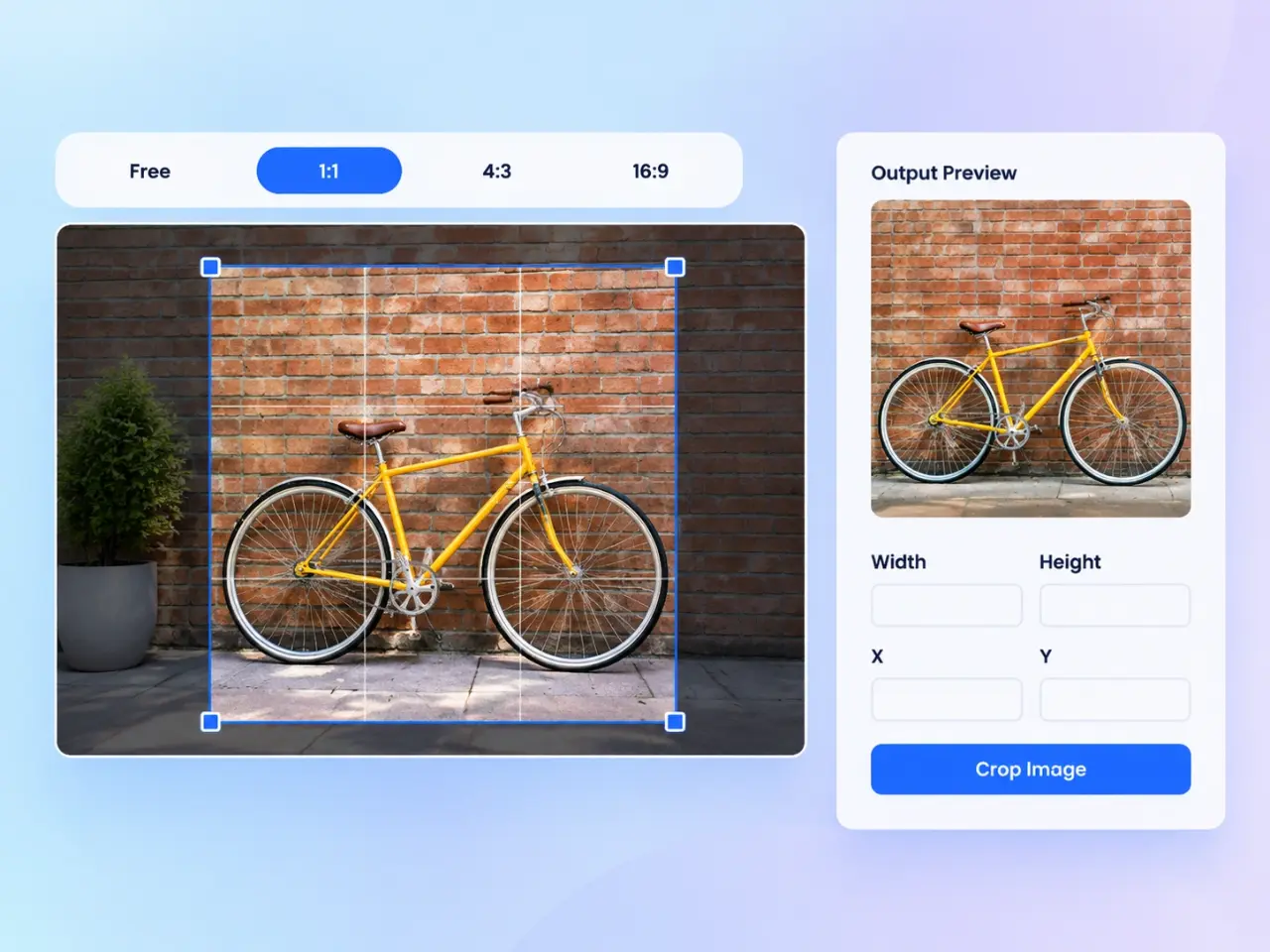
Drag and drop an image, browse your device, or choose a sample photo to start.
Use a free crop or select a familiar ratio such as square, 4:3, 16:9, or 3:2.
Move and resize the selection in the preview, or enter its exact size and position in pixels.
Choose an output format, create the cropped result, review it, and download the finished image.
Remove distracting edges, tighten the frame around a subject, or rebalance a landscape without changing the selected area’s pixel dimensions.
Use square or widescreen ratios to prepare profile pictures, feed posts, thumbnails, banners, and other platform-ready visuals.
Enter precise crop size and position values when product cards, article covers, and interface images need consistent framing.
Turn a larger picture into a close-up of a person, product, object, or moment while leaving the original file untouched.
Drag or resize the crop area in the preview and see the pixel values update immediately, or edit the values to move the selection precisely.
Start with freeform cropping or quickly frame an image at 1:1, 4:3, 16:9, or 3:2.
Your photo crop is processed locally in your browser and is not uploaded to an imglab server.
Save the cropped result as PNG, WebP, AVIF, or JPG and adjust quality for compressed formats when file size matters.
Keep faces, text, and important objects comfortably inside the crop boundary. Use the rule-of-thirds guide to position the main subject, choose an aspect ratio that matches the final placement, and begin with the highest-resolution source available so the cropped result keeps as much detail as possible.
Yes. Enter the crop width and height in pixels, then use the X and Y fields to control its position from the image’s top-left corner. The preview updates as the values change.
Yes. Drag inside the selection to move it. Drag the handle at its lower-right corner to change its size. The form values stay synchronized with the preview.
Cropping removes pixels outside the selected area but does not enlarge the pixels that remain. PNG uses lossless output, while JPG, WebP, and AVIF quality can be adjusted before export.
The selected picture is processed locally in your browser. It is not uploaded to or stored on an imglab server.
Use 1:1 for square images, 16:9 for widescreen visuals, and 4:3 or 3:2 for common photo layouts. Choose Free when the final frame does not need a fixed ratio.